DbAppWeb.com

Menu
  • Home
  • Linux
  • HP-UX
  • macOS
  • Windows
  • Web Servers
  • App Servers
  • Storage

‘telnet’ is not recognized as an internal or external command, operable program or batch file.

November 17, 2016 DbAppWeb Admin

enable_telnet_windows2008r2_01

If you are getting the above error then it means telnet client service is not enabled/installed on your system.

‘telnet’ is not recognized as an internal or external command, operable program or batch file.

How To Enable Telnet In Windows Server 2008 R2

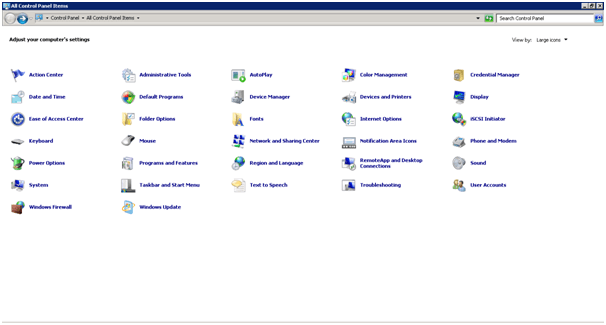
  • Go to Control Panel>Programs and Featuresenable_telnet_windows2008r2_02
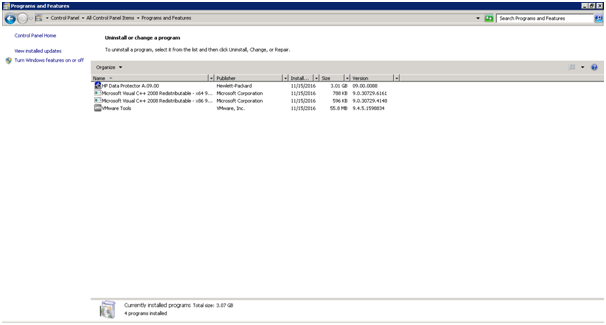
  • Click on Turn Windows Feature On or Off, it will open Server manager.enable_telnet_windows2008r2_03
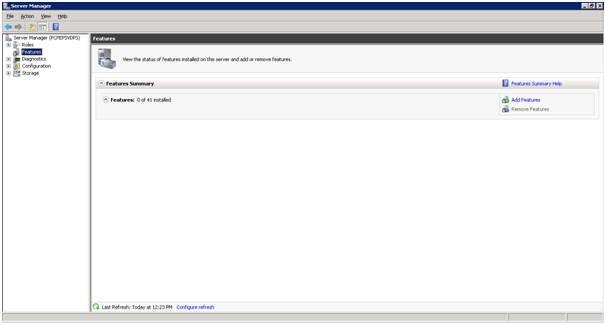
  • Click on Features link in the left navigation and then click on Add Features link available on the right side.enable_telnet_windows2008r2_04
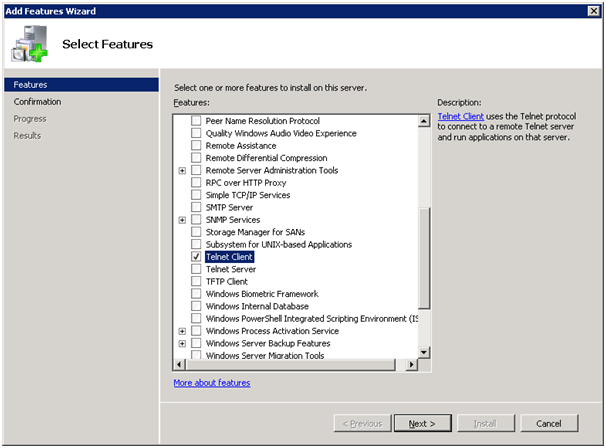
  • Select the Telnet Client from the list and click on the Next button.enable_telnet_windows2008r2_05
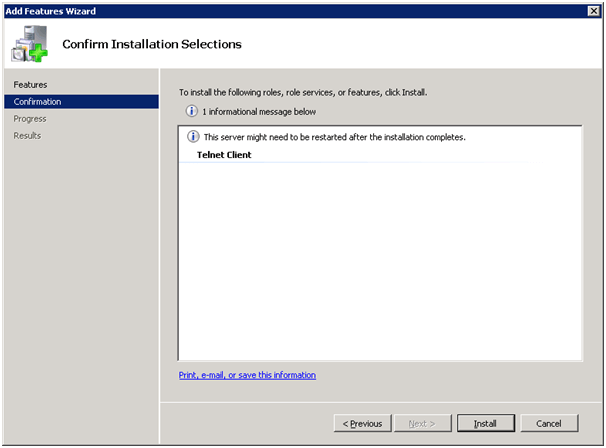
  • Click on Install button to confirm the installation.enable_telnet_windows2008r2_06
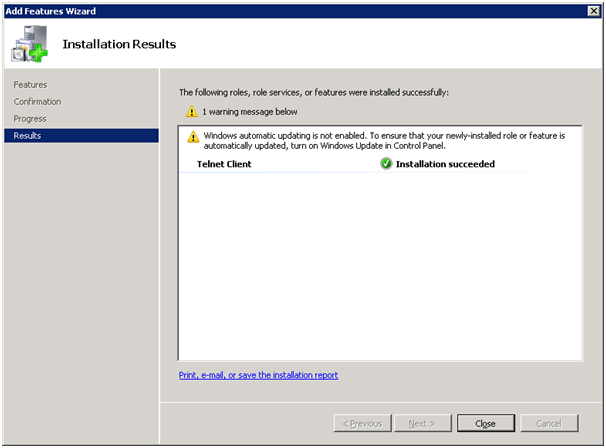
  • Once installation is completed, close this window.enable_telnet_windows2008r2_07
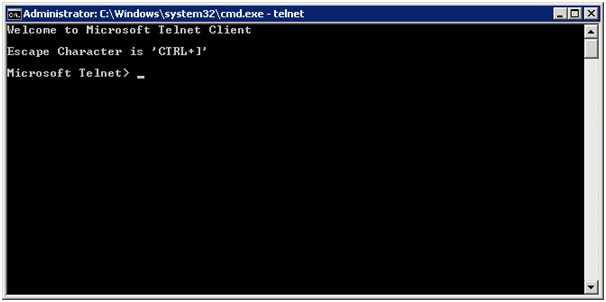
  • Now, verify the telnet service by typing the telnet on the command prompt.enable_telnet_windows2008r2_08


Share this:

  • Click to share on Twitter (Opens in new window)
  • Click to share on Facebook (Opens in new window)
  • Click to share on LinkedIn (Opens in new window)
  • Click to share on Telegram (Opens in new window)
  • Click to share on WhatsApp (Opens in new window)
Prev Article
Next Article
Tags:Sys Admin Telnet Service Windows Server 2008 R2

Leave a Reply Cancel Reply

This site uses Akismet to reduce spam. Learn how your comment data is processed.

  • Popular
  • Recent

Categories

  • Android (2)
  • Blogger (16)
  • Domain and Hosting (1)
  • Hardware Issues (7)
  • HP-UX (55)
  • HPE Data Protector (9)
  • IBM Lotus Notes (2)
  • IBM WebSphere Application Server (16)
  • Internet Tips & Tricks (15)
  • iOS (8)
  • JBoss/WildFly Application Server (2)
  • Linux (76)
  • macOS (15)
  • Microsoft Windows (31)
  • News and Updates (11)
  • Oracle Database (5)
  • SSL/TLS (1)
  • Storage Servers (23)
  • Tools/Softwares (1)
  • VMware ESXi (17)
  • Web Servers (14)
  • WordPress (5)

Archives

DbAppWeb.com

Solution of Database, Application and Web Server Problems

About DbAppWeb.com

One Stop Solution for Database Server, Application Server and Web Server Problems.

Subscribe to Blog via Email

Enter your email address to subscribe to this blog and receive notifications of new posts by email.

DbAppWeb on Social Media

Copyright © 2026 DbAppWeb.com
Terms and Conditions   Theme by MyThemeShop.com
 

Loading Comments...